Webflow Agency Ops: Rate-Limiting an AI Agent Across 25 Client Workspaces
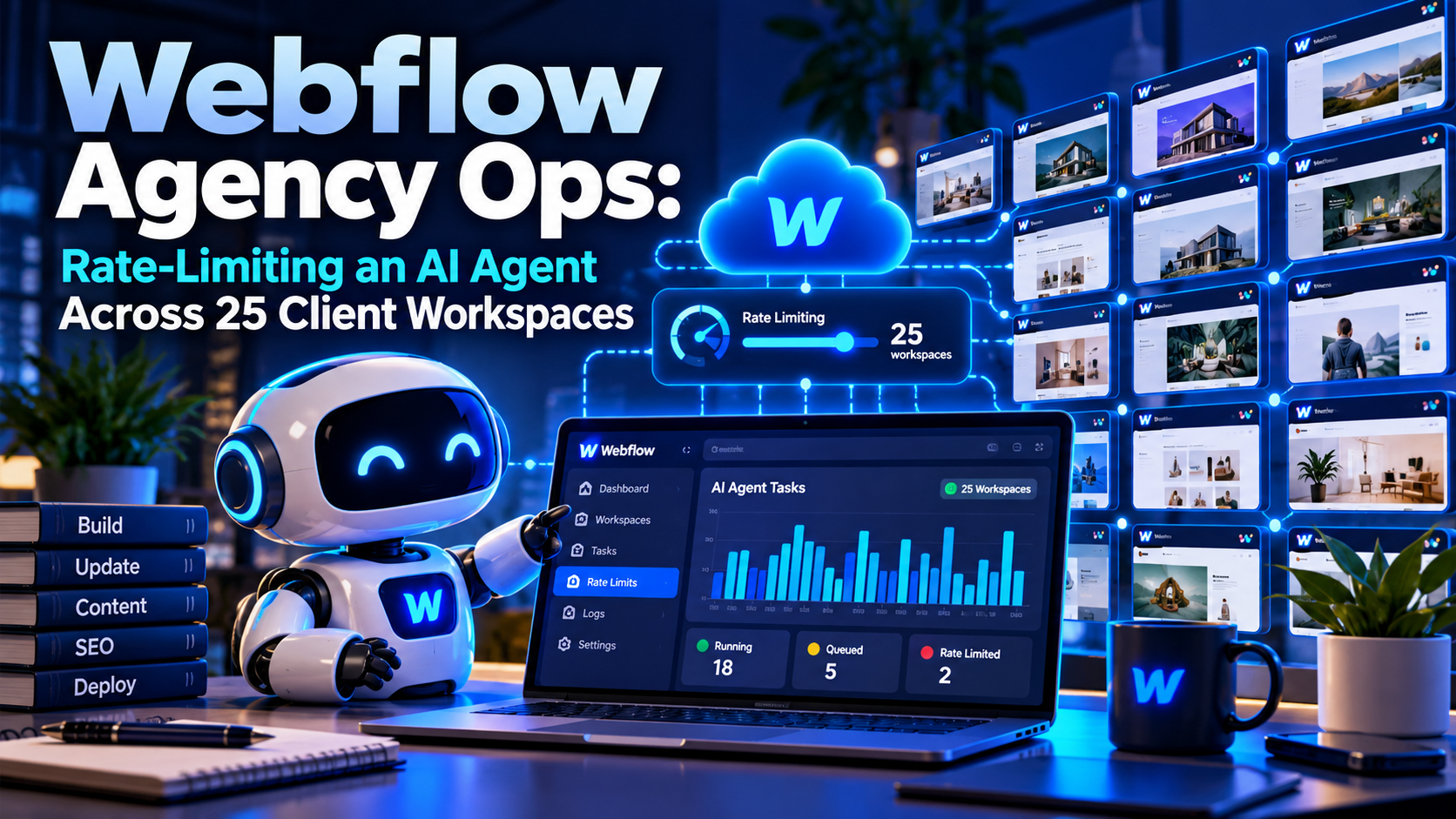
Rate-limiting an AI agent across client workspaces means putting a gate between the agent and Webflow's API that gives every client site its own request budget, set below what Webflow allows. One client's bulk job then can't stall the others, and the agency stops meeting HTTP 429 in the middle of a deadline. This article builds that gate for an agency with 25 client workspaces, as a small MCP server in Python.
The problem is new because agents are fast. A person editing CMS items in the Designer never comes near Webflow's limits. An agent asked to "fix the meta descriptions on every blog post for every client" can send a hundred requests in the time it takes to read this sentence, and when it gets a 429, its first instinct is to try again straight away.
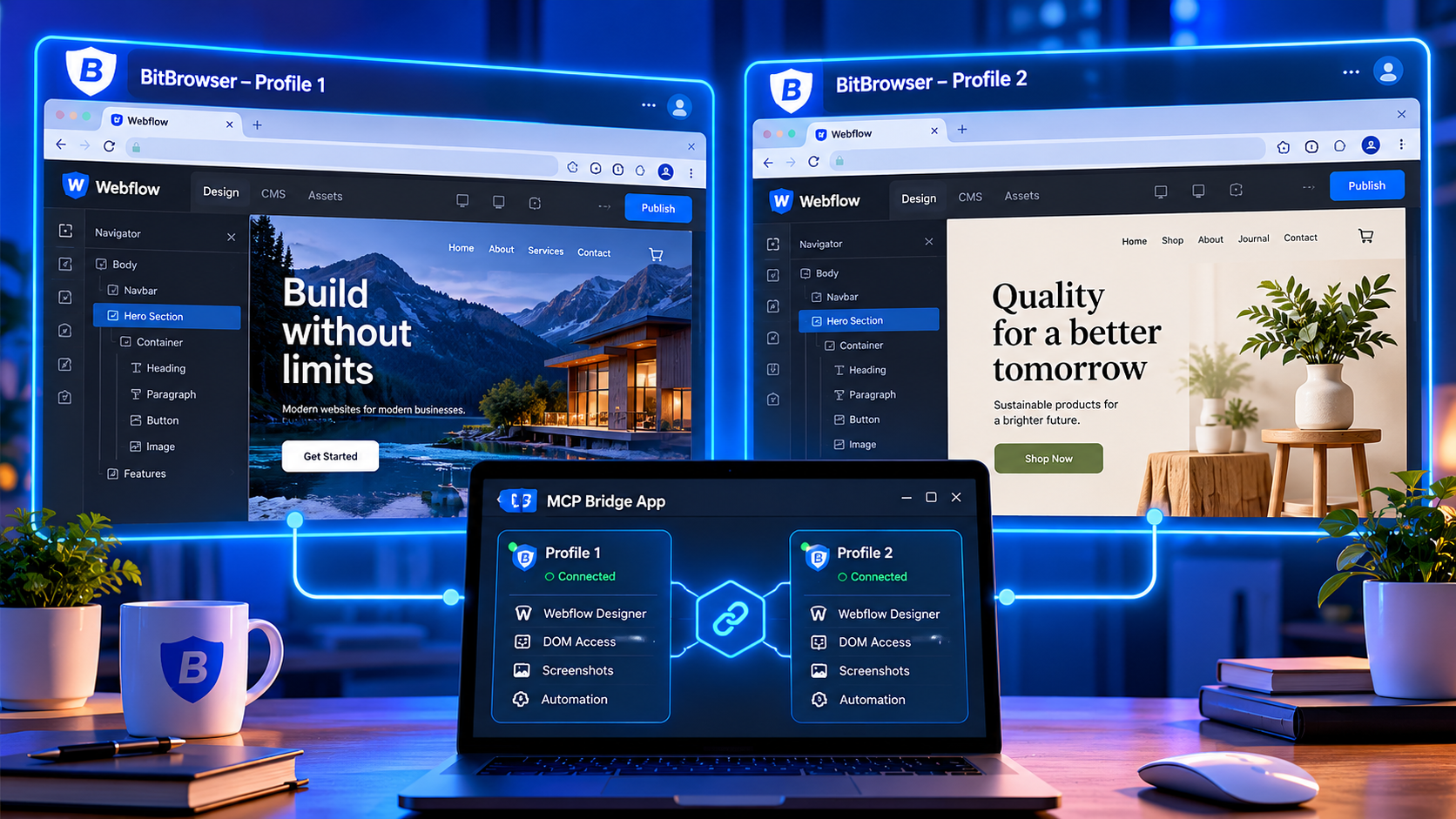
The design work also has a browser side. Design changes still happen in the Webflow Designer, and for an agency that means one window per client. Here each client gets its own profile in BitBrowser, whose MCP server lets the same AI client open the right client's window for the person doing the design review.
📌 Short version: one MCP server, five tools, one request budget per client site at half of Webflow's limit for that plan. A 429 pauses only that client. Long waits come back to the agent as "work on another client", never as an error. Publishing goes to the Webflow subdomain only, once a minute at most, three times a day.
Code last run: October 2026 on Python 3.13 with mcp 2.2.0 and httpx 0.28, against a local stand-in for the Webflow API.
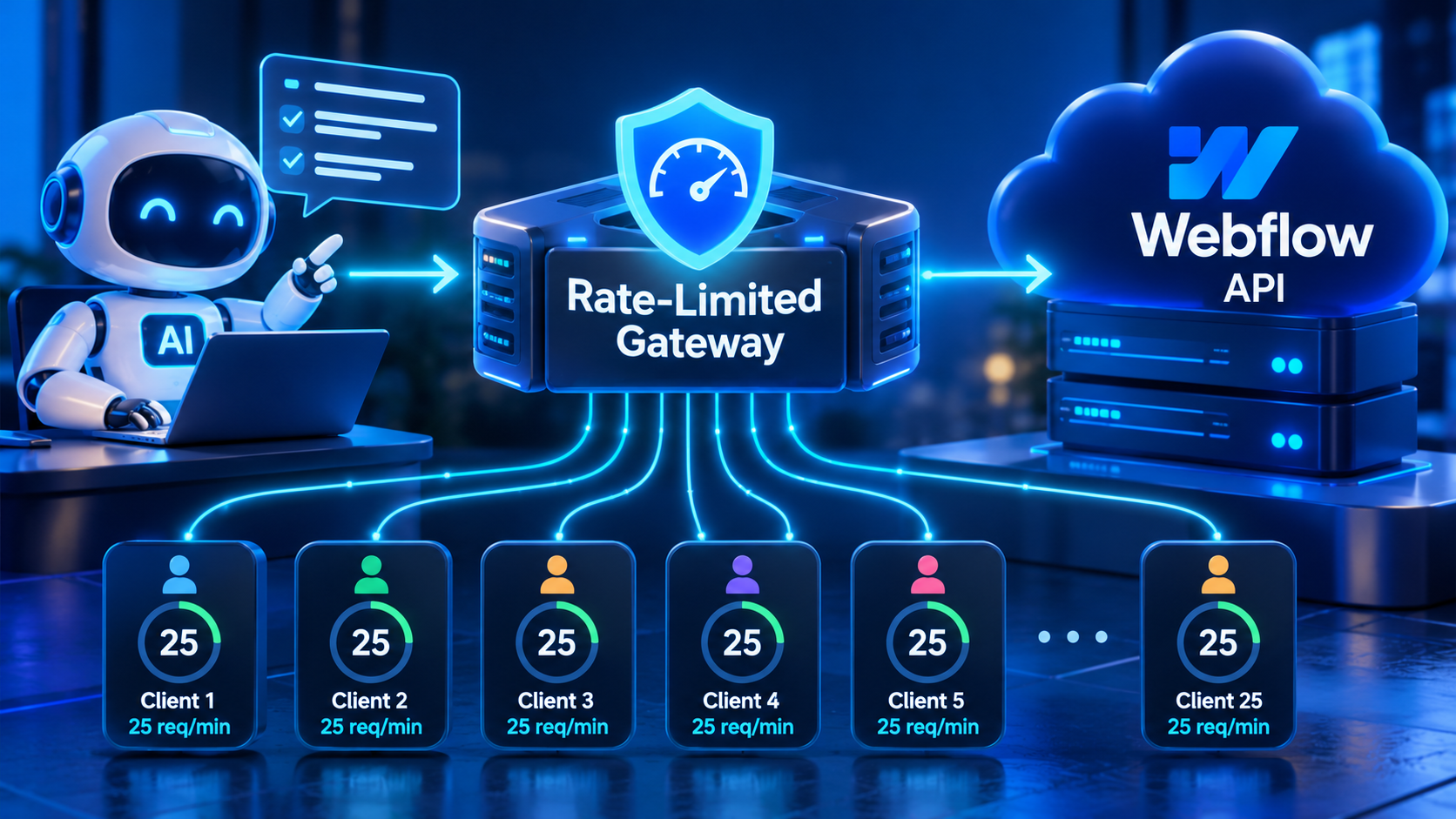
Table of contents
- What changes at 25 client workspaces
- How Webflow counts requests
- The rules you agree to
- Getting access the right way
- Five rules for a polite agent
- The gateway code
- What the agent sees when it hits a limit
- Connect it to Claude Code
- Designer work and browser profiles
- Mobile QA on cloud phones
- Numbers to tune
- FAQ
What changes at 25 client workspaces
Most Webflow agencies work inside their clients' workspaces rather than owning the sites. Webflow's Agency or Freelancer guest role is built for that: the client keeps ownership of its workspace and invites the agency as a guest for free, with no password sharing and no site transfer. The agency needs an Agency or Freelancer workspace plan, and its guest admins can bring in up to 5 team members on a self-serve host plan or 10 on an Enterprise one.
For people, that works well. One agency login reaches all 25 workspaces, and each client sees exactly which sites it has shared.
For an agent, the picture is different. API access is granted per site, so 25 client sites means at least 25 credentials, each with its own rate limit. A typical agency mix might be eight sites on Basic, fourteen on CMS and three on Business. Those limits don't add up into a shared pool. They are 25 separate walls, and an agent that treats them as one big allowance will hit the lowest wall first.
There is also a fairness problem. If the agent starts with the largest client's 900 blog posts, it can spend twenty minutes there while the two-minute fix for a smaller client waits behind it. A gateway with one budget per client lets the agent move on as soon as one client's budget runs low.
How Webflow counts requests
Webflow's Data API sets limits by site plan:
| Site plan | Requests per minute |
|---|---|
| Starter, Basic | 60 |
| CMS, eCommerce, Business | 120 |
| Enterprise | custom |
Limits apply per API key, and each key is tracked on its own. Every response carries X-RateLimit-Limit and X-RateLimit-Remaining. Go over the limit and you get 429 Too Many Requests with a Retry-After header, which Webflow says is typically 60 seconds.
Publishing has its own rule: one successful publish per minute per site. The bulk item endpoints accept up to 100 items per request, which is the easiest way to do more work with fewer calls.
Webflow's own advice is short and worth following. Use its SDK, which has exponential backoff built in, or respect Retry-After yourself. Avoid aggressive polling and highly concurrent calls. Use webhooks instead of polling for changes. Cached requests to the content delivery API effectively have no rate limit, so read-heavy jobs should use it where they can.
The rules you agree to
Webflow's Developer Terms of Service are direct about limits. Section 6F says you "will not attempt to exceed or circumvent limitations on access, calls and use of the Webflow API", and that access may be "temporarily suspended or permanently blocked" if you do.
That rules out the tricks that tempt people once an agent is involved. A site can have up to five tokens, meant for separate integrations, not for five times the throughput on one job. Spreading one job across several tokens to dodge the limit is exactly the circumvention the terms describe. The same section asks for "reasonable request volume", and section 6B bans bulk copying or scraping content, so an audit should read what it needs and stop.
If a client really needs more throughput, the honest route is the one Webflow names: higher limits through its enterprise options. Everything in this article works inside the published limits, with room to spare.
Getting access the right way
People use the guest role. The agent needs API credentials, and there are two ways to get them.
A Webflow App. Webflow's docs say that because site tokens are per site, a multi-site integration should use a Webflow App instead. Each client authorizes your app on its sites, and you get an access token per authorization. For 25 clients this is the cleaner route.
Site tokens. Only site administrators can create them, in the site's Apps & integrations settings. The admin picks scopes, the token is shown once, and it lasts until it's revoked or goes 365 days without use. For a handful of clients, a token created by the client's admin with only the scopes you need is fine. For this gateway that means CMS:read, CMS:write, and sites:write only where you plan to publish.
Either way the gateway sees a bearer token per client, so the code below works with both.
Webflow also runs an official MCP server at https://mcp.webflow.com/mcp. It uses OAuth, can be authorized on several sites, and covers CMS, pages, assets and much of the Designer. For interactive work with a person watching, it's the better tool. What you can't do is put your own budget in front of a remote server. For scheduled bulk jobs across many clients, the self-hosted gateway gives you that control, and the two sit side by side without trouble.
Five rules for a polite agent
Budget below the limit. Each client gets half of its plan's limit by default: 30 requests a minute on Basic, 60 on CMS. The other half is room for mistakes, retries and anything else that uses the same key.
Short bursts only. A budget refills continuously, and the bucket holds at most ten seconds' worth. The agent can't save up a minute of requests and fire them all at once.
A 429 pauses one client. When Webflow answers 429, that client pauses for the Retry-After time and the others carry on. When X-RateLimit-Remaining drops to 2 or below, the gateway backs off for ten seconds before Webflow has to ask.
Never make the agent wait long. If a request would wait more than five seconds, the tool returns status: wait with the number of seconds and a hint to work on another client. A clear wait with a number is easier for an agent to act on than a tool that hangs for a minute or a bare error.
Daily caps and careful publishing. Each client has a daily cap of 1,500 requests, which stops a looping agent from spending the day on one site. Publishing is off unless a client's config allows it, goes to the Webflow subdomain only, and is limited to one every 65 seconds and three a day.
The gateway code
Clients live in clients.json. Tokens stay in environment variables.
[
  {"name": "acme-bakery", "site_id": "SITE_ID", "plan": "basic", "token_env": "WF_ACME", "allow_publish": true},
  {"name": "blue-dental", "site_id": "SITE_ID", "plan": "cms", "token_env": "WF_BLUE"},
  {"name": "crest-law", "site_id": "SITE_ID", "plan": "business", "token_env": "WF_CREST", "rpm": 200}
]
The optional rpm field covers Enterprise sites with a custom limit. The gateway still takes only its share of it.
"""A rate-limited Webflow gateway for one AI agent and many client sites.

Runs as an MCP server over stdio. Each client site gets its own request budget,
set below Webflow's per-key limit for that site's plan, plus a daily cap. A 429
pauses only the client that received it, and the agent is told to work on
another client instead of waiting. Publishing goes to the Webflow subdomain
only, at most once every 65 seconds and a few times a day per site.
"""
import asyncio
import json
import os
import time
from pathlib import Path

import httpx
from mcp.server.mcpserver import MCPServer

API = os.environ.get("WEBFLOW_API", "https://api.webflow.com/v2")
PLAN_RPM = {"starter": 60, "basic": 60, "cms": 120, "ecommerce": 120, "business": 120}
SHARE = float(os.environ.get("WF_SHARE", "0.5"))  # use at most half of each key's limit
DAILY_CAP = int(os.environ.get("WF_DAILY_CAP", "1500"))  # requests per client per day
MAX_WAIT = 5.0  # seconds a tool call may wait before it hands back "try later"
PUBLISH_GAP = 65  # Webflow allows one successful publish per minute
PUBLISH_DAILY = 3


class CoolingDown(Exception):
    def __init__(self, seconds, reason):
        super().__init__(reason)
        self.seconds, self.reason = seconds, reason


class Budget:
    """Token bucket for one client: refills at rpm/60 tokens per second."""

    def __init__(self, rpm):
        self.rpm = rpm
        self.rate = rpm / 60
        self.capacity = max(1.0, rpm / 6)  # at most ten seconds of burst
        self.tokens = self.capacity
        self.stamp = time.monotonic()
        self.paused_until = 0.0
        self.day, self.used, self.throttled = time.strftime("%Y-%m-%d"), 0, 0
        self.last_publish, self.publishes = -1e9, 0
        self.lock = asyncio.Lock()

    def _refill(self):
        now = time.monotonic()
        self.tokens = min(self.capacity, self.tokens + (now - self.stamp) * self.rate)
        self.stamp = now
        today = time.strftime("%Y-%m-%d")
        if today != self.day:
            self.day, self.used, self.publishes = today, 0, 0
        return now

    def pause(self, seconds):
        self.paused_until = max(self.paused_until, time.monotonic() + seconds)

    def cooling(self):
        return max(0.0, self.paused_until - time.monotonic())

    async def take(self):
        async with self.lock:
            now = self._refill()
            if self.used >= DAILY_CAP:
                raise CoolingDown(None, f"daily cap of {DAILY_CAP} requests reached")
            wait = max(self.paused_until - now, (1 - self.tokens) / self.rate if self.tokens < 1 else 0)
            if wait > MAX_WAIT:
                raise CoolingDown(wait, "request budget for this client is used up for now")
            if wait > 0:
                await asyncio.sleep(wait)
                self._refill()
            self.tokens -= 1
            self.used += 1


def load_clients(path):
    clients = {}
    for c in json.loads(Path(path).read_text()):
        rpm = c.get("rpm") or PLAN_RPM[c["plan"]]
        clients[c["name"]] = {**c, "budget": Budget(max(1, int(rpm * SHARE)))}
    return clients


CLIENTS = load_clients(os.environ.get("WF_CLIENTS", "clients.json"))
HTTP = httpx.AsyncClient(timeout=30)
mcp = MCPServer("webflow-gate", instructions=(
    "Webflow access for many client sites. When a tool answers with status 'wait', "
    "move on to another client and come back after retry_in_seconds."))


async def call(name, method, path, body=None, params=None):
    client = CLIENTS.get(name)
    if client is None:
        return {"status": "error", "message": f"unknown client {name}"}
    budget = client["budget"]
    try:
        await budget.take()
    except CoolingDown as cd:
        return {"status": "wait", "client": name, "reason": cd.reason,
                "retry_in_seconds": None if cd.seconds is None else round(cd.seconds)}
    headers = {"Authorization": f"Bearer {os.environ[client['token_env']]}",
               "Accept": "application/json"}
    resp = await HTTP.request(method, API + path, headers=headers, json=body, params=params)
    if resp.status_code == 429:
        retry = int(resp.headers.get("Retry-After", "60"))
        budget.pause(retry)
        budget.throttled += 1
        return {"status": "wait", "client": name, "reason": "Webflow returned 429",
                "retry_in_seconds": retry}
    remaining = resp.headers.get("X-RateLimit-Remaining")
    if remaining is not None and int(remaining) <= 2:
        budget.pause(10)  # nearly at Webflow's own limit for this key: back off
    if resp.status_code >= 400:
        return {"status": "error", "client": name, "code": resp.status_code, "body": resp.text[:500]}
    return {"status": "ok", "client": name, "data": resp.json() if resp.content else None}


@mcp.tool()
async def clients() -> dict:
    """List client sites with plan, request budget, usage today and any pause."""
    return {name: {"plan": c["plan"], "budget_rpm": c["budget"].rpm, "used_today": c["budget"].used,
                   "daily_cap": DAILY_CAP, "cooling_seconds": round(c["budget"].cooling()),
                   "throttled_today": c["budget"].throttled, "can_publish": bool(c.get("allow_publish"))}
            for name, c in CLIENTS.items()}


@mcp.tool()
async def collections(client: str) -> dict:
    """List the CMS collections of one client's site."""
    site = CLIENTS.get(client, {}).get("site_id", "")
    return await call(client, "GET", f"/sites/{site}/collections")


@mcp.tool()
async def items(client: str, collection_id: str, offset: int = 0) -> dict:
    """List up to 100 staged items from one collection, starting at offset."""
    return await call(client, "GET", f"/collections/{collection_id}/items",
                      params={"limit": 100, "offset": offset})


@mcp.tool()
async def update_items(client: str, collection_id: str, updates: list[dict]) -> dict:
    """Update up to 100 staged items. Each update needs an id and fieldData. Nothing goes live."""
    if not 1 <= len(updates) <= 100 or not all("id" in u and "fieldData" in u for u in updates):
        return {"status": "error", "message": "send 1 to 100 updates, each with id and fieldData"}
    clean = [{"id": u["id"], "fieldData": u["fieldData"]} for u in updates]
    return await call(client, "PATCH", f"/collections/{collection_id}/items", body={"items": clean})


@mcp.tool()
async def publish_staging(client: str) -> dict:
    """Publish one client's site to its Webflow subdomain only (never custom domains)."""
    c = CLIENTS.get(client)
    if c is None or not c.get("allow_publish"):
        return {"status": "error", "message": "publishing is not enabled for this client"}
    b = c["budget"]
    b._refill()
    since = time.monotonic() - b.last_publish
    if b.publishes >= PUBLISH_DAILY:
        return {"status": "wait", "client": client, "reason": "publish limit for today reached",
                "retry_in_seconds": None}
    if since < PUBLISH_GAP:
        return {"status": "wait", "client": client, "reason": "one publish per minute",
                "retry_in_seconds": round(PUBLISH_GAP - since)}
    result = await call(client, "POST", f"/sites/{c['site_id']}/publish",
                        body={"publishToWebflowSubdomain": True})
    if result["status"] == "ok":
        b.last_publish, b.publishes = time.monotonic(), b.publishes + 1
    return result


if __name__ == "__main__":
    mcp.run()
A few notes on how it fits together.
Budget is a token bucket with two extras: a pause time for 429s and the low-remaining back-off, and a daily counter. The lock makes requests for one client go out in order, while requests for different clients don't block each other.
call is the only function that talks to Webflow. It takes from the budget first, so a request that can't fit never leaves your machine. When Webflow answers 429, the reply to the agent is a wait, not an error, and the client's budget is paused for the full Retry-After.
update_items copies only id and fieldData from each update. An agent can't flip isDraft or isArchived through it, and nothing it writes goes live until someone publishes.
publish_staging never sends custom domain IDs. Publishing to a client's real domain stays a human decision made in Webflow.
What the agent sees when it hits a limit
A normal answer looks like this:
{"status": "ok", "client": "blue-dental", "data": {"collections": [{"id": "...", "displayName": "Blog Posts"}]}}
When the client's budget is spent or Webflow has asked for a pause:
{"status": "wait", "client": "blue-dental", "reason": "Webflow returned 429", "retry_in_seconds": 30}
The server's instructions tell the agent what to do with that: move on to another client and come back later. The intended pattern is a loop the agent manages for itself. It works through a client until it gets a wait, switches to the next one, and returns when the pause is over.
The clients tool gives the agent a live view of every budget:
{"crest-law": {"plan": "business", "budget_rpm": 100, "used_today": 212, "daily_cap": 1500,
               "cooling_seconds": 0, "throttled_today": 0, "can_publish": false}}
throttled_today is the number to watch. If it isn't zero, something besides the gateway is using that client's key heavily, or the share is set too high.
Connect it to Claude Code
Register the gateway as a local MCP server and pass the config path and tokens as environment variables:
claude mcp add webflow-gate \
  -e WF_CLIENTS=/opt/agency/clients.json \
  -e WF_ACME=... -e WF_BLUE=... -e WF_CREST=... \
  -- python3 /opt/agency/webflow_gate.py
For a scheduled audit, run Claude Code headless and allow only the read tools, so the run can't change anything even if the prompt asks it to:
claude -p "For every client, list the Blog Posts collection and report items with an empty \
meta description field. If a tool returns status wait, move to the next client and come back." \
  --allowedTools mcp__webflow-gate__clients mcp__webflow-gate__collections mcp__webflow-gate__items
A fixing run adds mcp__webflow-gate__update_items and is best run with a person reading the plan first. Publishing to staging is the last step, and only for clients whose config allows it.
Designer work and browser profiles
The API covers CMS content well. Layout, components and visual checks still happen in the Webflow Designer, and that is where the official MCP server's Designer features come in. They need the site open in the Designer with the MCP Bridge App launched from the Apps panel, and the app has to stay open while the agent works. Webflow notes that an agent can do through the MCP server only what you can do in the Designer, and changes are recorded in the site's activity log.
With 25 clients, keeping track of which Designer tab belongs to which client is a real job. The simple rule is one client per browser profile. Each BitBrowser profile keeps its own cookies and storage, so it can hold that client's Designer tab next to the client's other logins: analytics, Search Console, the domain registrar, and for Enterprise clients with single sign-on, the account their identity provider issued to your team. Opening one profile then means working on exactly one client.
BitBrowser's MCP server, built into the desktop app from version 7.1.5, sets those profiles up from the same Claude Code session:
claude mcp add --transport http bitbrowser http://127.0.0.1:54345/mcp \
  --header "x-api-key: YOUR_BITBROWSER_TOKEN"
Before you create, update or delete anything, show me the plan and wait for me to type "go".

Create a group named Webflow-Clients and one profile per client: acme-bakery, blue-dental, crest-law, and the rest from the list I paste next.

Create tags: sso, cms, business, launch-this-week.

Tag crest-law with business and sso.

Open crest-law and blue-dental side by side.
The BitBrowser tools manage profiles, groups, tags, proxies and windows. They don't act inside Webflow, so the Designer stays in the hands of the person and the Webflow MCP server. For a broader look at agencies that drive their browser setup through an API, there is a write-up on the API-first antidetect browser and how agencies scale.
Mobile QA on cloud phones
The Designer's breakpoints show layout at different widths, but they aren't Safari on an iPhone or Chrome on an Android phone. Viewport height on mobile browsers, font rendering and sticky elements are common places where a launch goes wrong on a real device.
A cloud phone is a remote Android or iOS device you open from your desktop. With BitBrowser already holding each client's desktop profile, BitCloudPhone for Android and BitCloudPhone-iOS for iPhone fit this step well, because the same MCP server starts and stops the phones:
Open the cloud phones named qa-ios and qa-android.

Shut down every running cloud phone and tell me which ones were on.
Before any client publishes to its real domain, load the staging subdomain on both phones and go through the pages that changed. It's a short check, and it covers the gap a desktop preview leaves.
Numbers to tune
WF_SHARE (default 0.5) sets how much of each key's limit the gateway uses. Lower it for clients that run other integrations heavily, raise it carefully for clients that use nothing else.
MAX_WAIT (5 seconds) decides when a tool call waits quietly and when it hands back wait. Longer waits make the agent look stuck. Shorter ones make it switch clients more often.
WF_DAILY_CAP (1,500) is a safety net, not a target. Listing a collection of 900 items takes nine requests at 100 items per page. If a client reaches the cap, read the log before you raise it.
The gateway assumes one credential per client entry. If a single app authorization covers several of one client's sites, give those entries an rpm that keeps their combined share under the lowest plan's limit, since they draw on the same key.
Bulk endpoints are the biggest lever of all. Updating 100 items in one PATCH costs one request; updating them one by one costs a hundred. The update_items tool only accepts the bulk form for that reason.
FAQ
What are Webflow's API rate limits? 60 requests per minute for Starter and Basic sites, 120 for CMS, eCommerce and Business, and custom limits for Enterprise. Limits apply per API key, and site publishing is limited to one successful publish per minute.
Can I use several tokens to get more requests on one site? No. Webflow's Developer Terms say you will not attempt to exceed or circumvent API limits. If a site needs more, ask Webflow about enterprise options.
Should an agency use site tokens or a Webflow App? Webflow recommends a Webflow App for integrations that cover many sites. Site tokens, created by each client's admin with minimal scopes, are fine for a small number of clients.
What should an AI agent do when it gets a 429? Stop calling that site for the Retry-After period, usually 60 seconds, and work on something else. The gateway here does that for the agent and tells it which client to leave alone.
Does the official Webflow MCP server replace this gateway? For interactive design and content work, it's the better tool. For scheduled jobs across many clients, a self-hosted gateway lets you set your own budget per client in front of the API.
Why a separate browser profile per client? Each profile keeps one client's Designer session and that client's other logins together, so the person reviewing an agent's work is always looking at the right site.
Disclosure: I do content work for BitBrowser and BitCloudPhone, and the BitBrowser link in this article is a referral link.
Comments
Join the discussionNo comments yet. Be the first to comment.